
protect data with grapheneos
protect data with grapheneos
Start here: check our devices page for our GrapheneOS-ready devices.
GrapheneOS is a privacy- and security-focused mobile operating system for people who want stronger data protection without giving up Android app support. It helps you protect personal data with strong system security, better app isolation, careful permissions, verified boot, and modern data encryption. The result is a more secure Android experience, but it still depends on the right device, a good setup, and careful habits every day. (grapheneos.org)
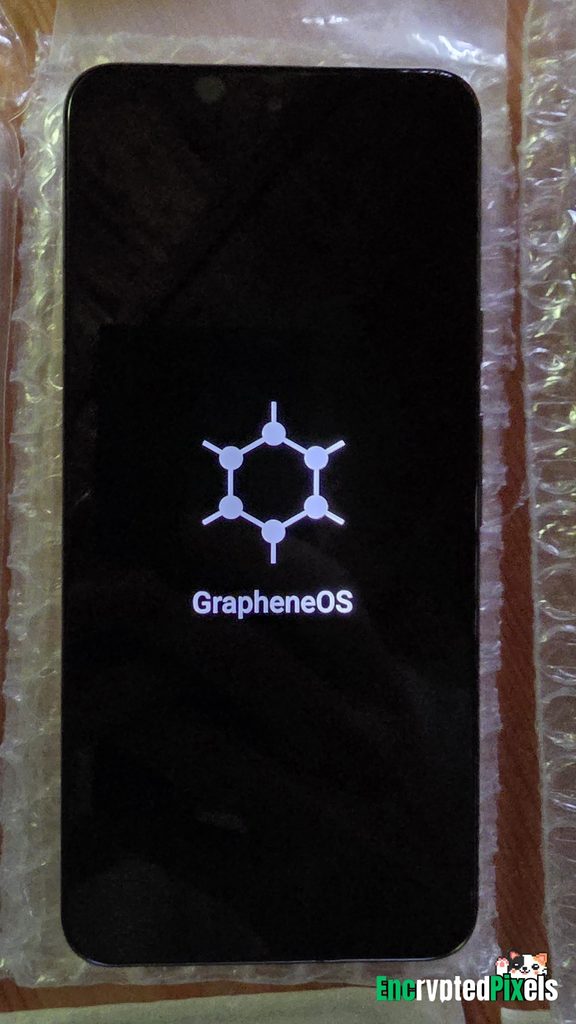
How does GrapheneOS protect your data?
GrapheneOS protects your data by reducing the ways apps, attackers, networks, and physical access can expose it. It builds on Android’s security model, then strengthens sandboxing, exploit defenses, permissions, network access, storage encryption, and device checks. It is not magic privacy dust. It is a serious security layer that works best with a strong lock method, regular updates, and careful app choices.
A simple way to think about GrapheneOS is defense in depth. If a bad app cannot get a permission, it has less data to misuse. If it cannot reach the network, it has fewer ways to send data out. If the phone is locked or off, encryption and hardware-backed keys make stored data harder to get.
Data encryption is the base
Data encryption is one of the most important parts of mobile security because phones are easy to lose, steal, or seize. GrapheneOS uses an enhanced version of Android’s filesystem-based disk encryption, with metadata encryption, on officially supported devices. In practice, user data, filenames, and other metadata stay encrypted, while each user profile has its own encryption keys. (grapheneos.org)
That profile split matters. If you use multiple profiles, your work apps, personal apps, or higher-risk apps can live in separate spaces. A secondary profile can be ended, which clears its encryption keys and puts that profile’s data back at rest. This is useful if you want to separate daily browsing, private chats, travel apps, or accounts that do not need to mix.
Strong encryption still needs a strong unlock method. A short, obvious PIN weakens your real security. Use a longer PIN or passphrase you can remember. Avoid reused patterns, and do not let convenience features replace the lock screen as your main defense.

Permission controls make apps less powerful
Many data leaks do not come from dramatic hacks. They come from normal apps collecting more than they need. GrapheneOS helps you protect personal data by making permissions more useful and easier to limit.
The Network permission is a strong example. GrapheneOS adds a user-facing switch that can block direct and indirect network access for an app, instead of relying only on a traditional packet firewall. If a simple calculator, scanner, keyboard, note app, or offline document viewer does not need internet access, you can cut off that path entirely. (grapheneos.org)
Use permissions with intent:
- Give location access only when the app truly needs it, and use approximate location when that is enough.
- Deny camera, microphone, contacts, files, and sensors unless the feature you use needs them.
- Remove network access from apps that should work offline.
- Put apps with different trust levels in different user profiles.
- Check permissions again after updates or after you change how you use an app.
This approach keeps your phone useful while shrinking the data any one app can reach.
Verified boot protects the operating system
Encryption protects stored data, but it does not prove that the operating system is genuine. Verified boot helps by checking firmware and OS integrity during startup. GrapheneOS installation guidance also says to lock the bootloader after flashing because locking enables full verified boot and helps prevent unauthorized changes to OS partitions. (grapheneos.org)
This is why install details matter. A weak setup can leave the device in a weaker state. If you install GrapheneOS yourself, follow the official installer closely, confirm each step, and do not start storing personal data on the device until the bootloader is locked and setup is complete.
Who should use GrapheneOS?
GrapheneOS is a strong fit for people who want secure Android with more control over apps, accounts, and data flows. It can help journalists, developers, business owners, researchers, privacy-conscious families, travelers, and anyone who stores sensitive personal data on a phone. It is also useful for everyday users who want fewer hidden dependencies and stronger default security.
It may not fit every setup. Some apps rely on Google services, device integrity checks, or background push systems. GrapheneOS can run many Android apps and supports sandboxed Google Play as regular apps, not system apps. Still, you should test your banking, workplace, messaging, and auth apps before you make the phone your only device.
A practical setup checklist
To protect data with GrapheneOS, focus on the basics first. Advanced settings help, but the biggest gains come from doing the core steps well.
- Choose a supported device. Use the official supported-device page and avoid carrier-locked phones when you can.
- Follow the official installer. Third-party guides can get old, so use GrapheneOS docs.
- Lock the bootloader after installation. This is required for verified boot.
- Use a strong lock method. A longer PIN or passphrase improves real-world data protection.
- Create separate profiles. Keep personal, work, test, and high-risk apps apart.
- Limit network access. Turn off internet access for apps that do not need it.
- Install fewer apps. Every app adds trust risk.
- Keep updates on. Security depends on current firmware, OS, and app patches.
- Back up on purpose. Use encrypted backups and know what they include before you trust them.
- Review settings monthly. Permissions, profiles, and installed apps should match your current needs.
Everyday habits complete the protection
A secure phone still reflects how it is used. Avoid random APKs, do not grant A11y access casually, and treat links, attachments, and QR codes with care. Use end-to-end encrypted messaging where it makes sense, keep sensitive accounts protected with strong auth, and think about whether some data needs to stay off your phone.
GrapheneOS gives you a more private and secure Android base, but your choices decide how much benefit you get from it. Start with a supported device, set up verified boot the right way, use data encryption and profiles wisely, and keep app permissions tight. With those habits, GrapheneOS becomes a practical daily tool for protecting personal data rather than just a privacy project for experts.
Q&A
Question: Does GrapheneOS make a phone completely private and secure?
Short answer: No. GrapheneOS strengthens Android security with stronger system protections, app isolation, encryption, verified boot, and better permission controls, but it is not a full solution by itself. Protection depends on a supported device, a correct setup, a locked bootloader, current updates, a strong unlock method, and careful app and permission choices.
Question: Why is locking the bootloader after installation so important?
Short answer: Locking the bootloader enables full verified boot. That helps confirm that the firmware and operating system have not been changed without approval. If the bootloader stays unlocked after installation, the device may be left in a weaker state, so do not store personal data on the phone until setup is done and the bootloader is locked.
Question: How do separate user profiles improve data protection?
Short answer: Separate profiles keep different apps, accounts, and data in isolated spaces with their own encryption keys. This makes it easier to separate work, personal, travel, test, or higher-risk apps. Ending a secondary profile clears its encryption keys and returns that profile’s data to an at-rest encrypted state.
Question: Can GrapheneOS run normal Android apps?
Short answer: GrapheneOS can run many Android apps and supports sandboxed Google Play as regular apps instead of privileged system components. However, some apps may rely on Google services, device integrity checks, or background push systems, so important banking, workplace, messaging, and auth apps should be tested before you rely on a GrapheneOS phone as your only device.
Question: What are the most important everyday habits for protecting data on GrapheneOS?
Short answer: The basics matter most: install fewer apps, avoid random APKs, limit permissions, turn off network access for offline apps, use a strong PIN or passphrase, keep the system and apps updated, use encrypted backups, and review settings often. GrapheneOS gives you a stronger base, but daily choices decide how much protection you really get.
Get a Pre-Configured GrapheneOS Phone
Skip the technical setup. Every device from EncPix comes with GrapheneOS installed, bootloader re-locked, and ready to use. Brand new, UK shipped.
Shop Devices →